

Last Updated: July 2026 | Reviewed by: SmartEmailAI Editorial Team | Reading Time: 18-22 minutes
Discover the best AI email assistants for Gmail, Outlook, and business productivity. This guide compares the top 8 AI tools by features, pricing, pros, cons, and expert recommendations.
In This Guide
– Which AI email assistant is the best overall in 2026.
– The best tools for Gmail, Outlook, teams, and business users.
– Which AI assistant offers the best writing experience.
– Which tool is best for inbox management and productivity.
– Which solution provides the strongest privacy and security.
– How we tested and ranked every product.
– Which AI email assistant is the right fit for your workflow.
Introduction
Email remains one of the most important communication tools for businesses, freelancers, and professionals worldwide. Yet many people still spend hours every week writing emails, organizing inboxes, following up on conversations, and searching for important messages.
Modern AI email assistants are changing that. They can draft emails in seconds, summarize lengthy conversations, suggest context-aware replies, improve grammar and tone, organize inboxes, and automate repetitive tasks — making email faster, smarter, and significantly more productive.
The challenge is that there are now dozens of AI-powered email tools available, each focusing on different strengths. Some integrate directly with Gmail or Outlook, while others specialize in writing assistance, inbox organization, collaboration, or privacy.
That’s why we created this guide. Rather than simply listing popular tools, we evaluated each AI email assistant based on the factors that matter most to professionals: AI writing quality, inbox management, productivity features, ease of use, platform integrations, pricing, and best use cases. Our goal is to help you choose the AI email assistant that best fits your workflow, so you can spend less time managing email and more time on meaningful work.
What You’ll Learn
By the end of this guide, you’ll know:
- Which AI email assistant is the best overall
- The best AI tools for Gmail and Google Workspace
- The top choice for Outlook and Microsoft 365 users
- Which assistant offers the best AI writing capabilities
- The best solution for managing a busy inbox
- Which tools are ideal for teams, businesses, and privacy-focused users
- How to choose the right AI email assistant based on your workflow and budget
Table of Contents
Quick Answer
If you’re looking for the best AI email assistant overall, Google Gemini is our top recommendation. Its deep integration with Gmail and Google Workspace, combined with powerful AI features for writing, summarizing, organizing, and searching emails, makes it the best choice for most professionals.
However, the right AI email assistant depends on how you work:
- Google Gemini — Best Overall for Gmail & Google Workspace
- Microsoft Copilot — Best for Microsoft 365 & Outlook
- Grammarly — Best AI Writing Assistant
- MailMaestro — Best for Business Email Productivity
- Shortwave — Best for Inbox Management
- Superhuman — Best for Maximum Productivity
- Spark Mail — Best for Team Collaboration
- Canary Mail — Best for Privacy & Security
If you’re unsure which tool to choose, start with Google Gemini if you use Gmail, or Microsoft Copilot if your organization relies on Microsoft 365.
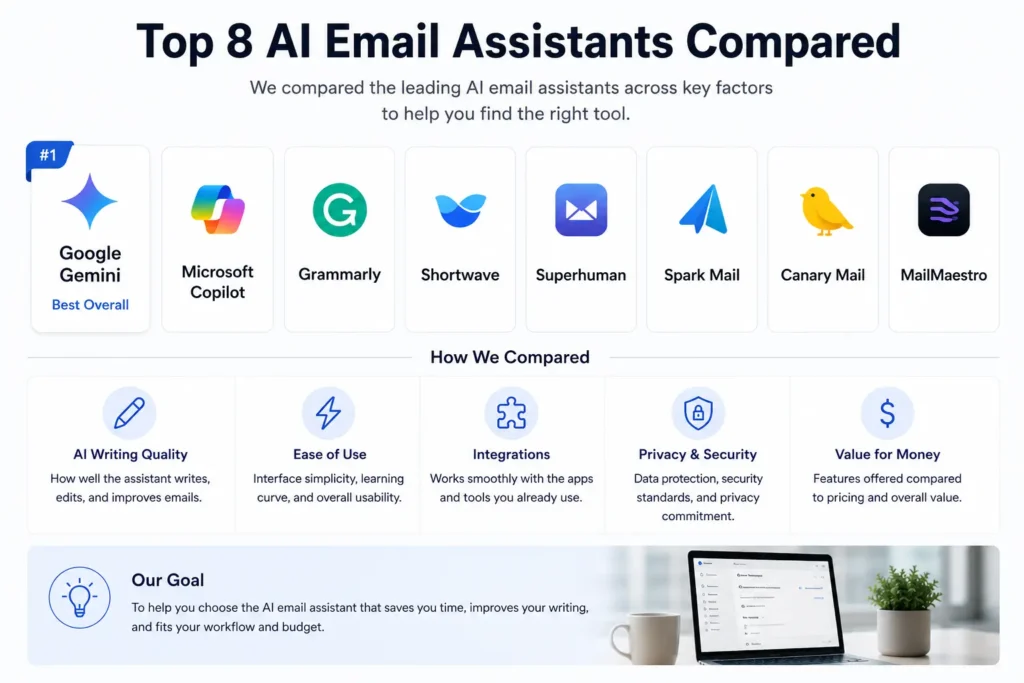
Comparison Table
| Tool | Best For | Free Plan | Platform | SmartEmailAI Score |
| Google Gemini | Gmail & Google Workspace | Yes | Web, Android, iOS | 9.6 / 10 |
| Microsoft Copilot | Outlook & Microsoft 365 | Limited | Web, Windows, Mobile | 9.5 / 10 |
| Grammarly | AI Writing | Yes | Web, Desktop, Mobile | 9.2 / 10 |
| MailMaestro | Business Productivity | Trial | Outlook, Web | 9.1 / 10 |
| Shortwave | Inbox Management | Yes | Web, Android, iOS | 9.3 / 10 |
| Superhuman | Maximum Productivity | No | Web, Desktop, Mobile | 9.4 / 10 |
| Spark Mail | Team Collaboration | Yes | Windows, macOS, iOS, Android | 9.0 / 10 |
| Canary Mail | Privacy & Security | Limited | Windows, macOS, iOS, Android | 9.1 / 10 |
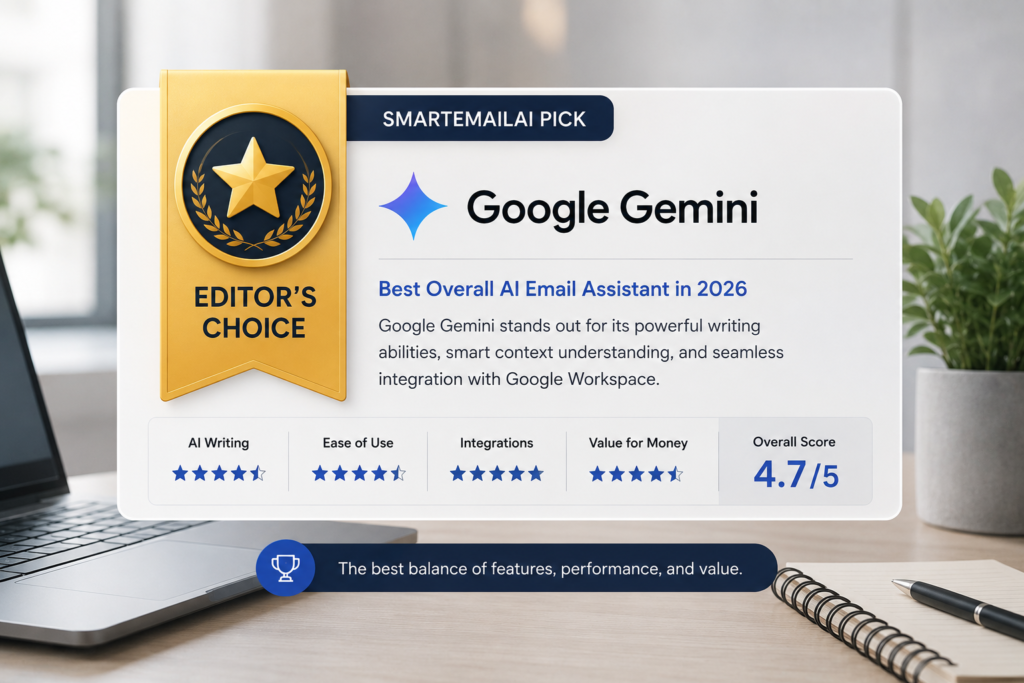
SmartEmailAI Editor’s Choice
Google Gemini :Best Overall AI Email Assistant
After comparing the leading AI email assistants across writing quality, productivity, integrations, ease of use, and overall value, Google Gemini earns our SmartEmailAI Editor’s Choice award.
For Gmail and Google Workspace users, no other solution currently offers the same level of native integration and AI-powered productivity. From drafting professional emails and summarizing long conversations to retrieving information from Google Drive and helping manage schedules, Gemini delivers the most complete AI email experience available today.
While other tools excel in specific areas – such as Grammarly for writing, Superhuman for speed, or Spark Mail for collaboration – Google Gemini provides the best balance of features for the majority of users. If you’re choosing your first AI email assistant, Google Gemini is the tool we recommend starting with.
How We Tested and Ranked These AI Email Assistants
Choosing the best AI email assistant isn’t simply about comparing feature lists. The right tool depends on your email platform, daily workflow, collaboration needs, budget, and productivity goals.
To create this guide, we evaluated each product using the same scoring methodology so every recommendation is judged consistently, focusing on real-world business use rather than marketing claims alone.
SmartEmailAI Evaluation Criteria
Each AI email assistant was evaluated across five core, weighted categories:
| Evaluation Category | Weight |
| AI Writing Quality | 25% |
| Productivity Features | 25% |
| Ease of Use | 20% |
| Integrations & Compatibility | 15% |
| Overall Value | 15% |
These scores combine into the overall SmartEmailAI Score, designed to help readers compare products quickly while still understanding each tool’s unique strengths.
What We Considered
- AI writing quality and accuracy
- Email summarization capabilities
- Smart reply suggestions
- Inbox management features
- Integration with Gmail, Outlook, and productivity platforms
- User experience and interface design
- Pricing and overall value
- Suitability for different types of users
Our Recommendation Philosophy
No AI email assistant is the best choice for everyone. Google Gemini excels for Gmail and Google Workspace users; Microsoft Copilot is the strongest choice for Microsoft 365 organizations; Grammarly focuses on writing quality; Shortwave specializes in inbox productivity; Superhuman is built for speed; Spark Mail emphasizes collaboration; and Canary Mail prioritizes privacy and security.
That’s why this guide doesn’t simply rank products from best to worst. Instead, it helps you identify the tool that best matches your own workflow.
Understanding the SmartEmailAI Score
Our SmartEmailAI Score is designed to help readers compare AI email assistants quickly and consistently. Every product is evaluated using the same editorial framework, ensuring scores reflect real-world usability rather than marketing claims.
Rather than rewarding the tool with the longest feature list, we prioritize products that deliver the best experience for their intended audience.
Product Reviews
1. Google Gemini
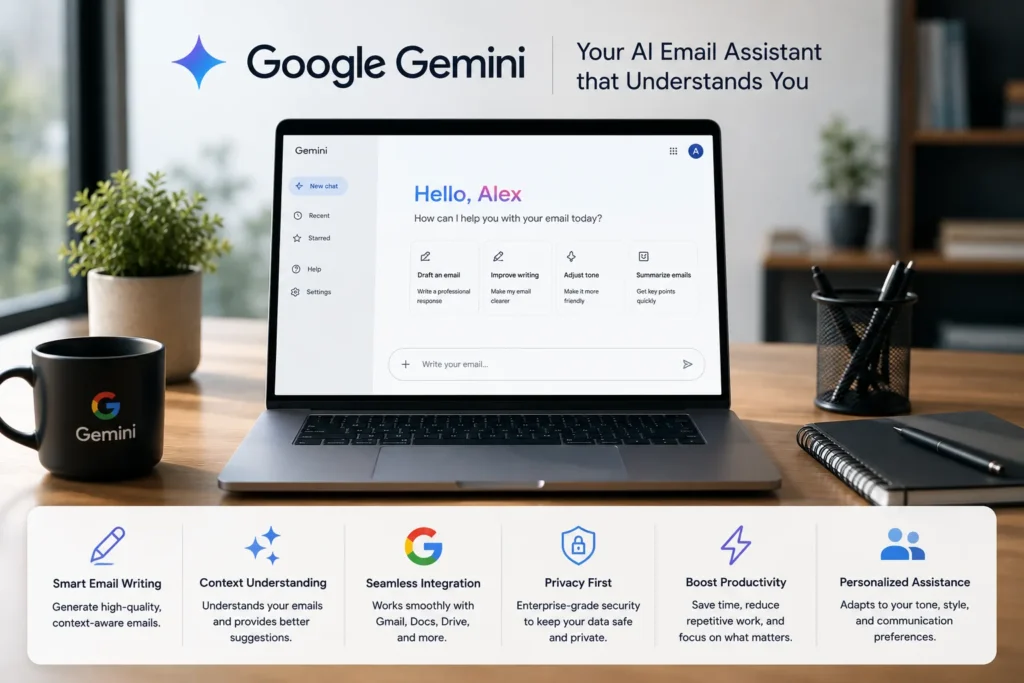
Best Overall AI Email Assistant for Gmail & Google Workspace
At a Glance
| Category | Details |
| Best For | Gmail & Google Workspace users |
| AI Writing | ★★★★★ |
| Email Summaries | Yes |
| Smart Replies | Yes |
| Google Workspace Integration | ★★★★★ |
| Free Plan | Yes (limited) |
| Paid Plan | Google AI Pro |
| SmartEmailAI Score | 9.6 / 10 |
Why We Picked It
Google Gemini earns our Editor’s Choice because it delivers the most complete AI email experience for Gmail users. Unlike standalone AI writing tools, Gemini is deeply integrated into the Google Workspace ecosystem, letting users draft emails, summarize long conversations, search Gmail intelligently, and work across Docs, Calendar, and Drive from a single AI assistant. For professionals already using Gmail, it offers the best combination of productivity, ease of use, and AI capability without requiring a change to their workflow.
Overview
Google Gemini is Google’s flagship AI assistant, now integrated across Gmail and the broader Workspace suite. Rather than functioning solely as an email writer, it acts as a productivity assistant that helps users compose messages, generate replies, summarize threads, retrieve information from connected Google services, and automate routine communication. Because it is built directly into Google’s ecosystem, Gemini feels like a natural extension of Gmail rather than an external add-on.
Key Features
- AI-powered email drafting with customizable tone
- One-click summaries for long email conversations
- Context-aware reply suggestions
- Intelligent search across Gmail
- Integration with Docs, Drive, Calendar, and Meet
- Multilingual writing and translation support
- Brainstorming and content assistance within Workspace
Pros — Google Gemini
- Excellent integration with Gmail and Google Workspace
- Fast, natural, high-quality email generation
- Saves significant time managing large inboxes
- Minimal learning curve
- Continuously improving through Google’s AI updates
Cons — Google Gemini
- Best experience is limited to the Google ecosystem
- Some advanced features require a paid Google AI subscription
- Less suitable for organizations built around Microsoft 365
Best For
- Professionals using Gmail every day
- Freelancers and consultants
- Small and medium-sized businesses
- Marketing teams and content creators
- Students and educators
- Anyone already invested in Google Workspace
SmartEmailAI Score
| Category | Score |
| AI Writing | 9.7 |
| Productivity | 9.6 |
| Ease of Use | 9.8 |
| Integrations | 9.8 |
| Value for Money | 9.3 |
| Overall Score | 9.6 / 10 |
Quick Verdict
If your work revolves around Gmail or Google Workspace, Google Gemini is currently the best AI email assistant you can choose. Its combination of intelligent writing assistance, email management, and deep ecosystem integration makes it the strongest all-around option for most professionals.
Who Should Choose It?
- Use Gmail as your primary email platform
- Rely on Google Workspace for daily work
- Want an AI assistant that goes beyond email writing
- Prefer a solution built into your existing workflow
- Value ease of use and strong productivity features
If you primarily use Outlook and Microsoft 365, Microsoft Copilot is likely a better fit.
Final Recommendation
Google Gemini is our top recommendation for 2026 thanks to its outstanding balance of AI writing quality, productivity features, and seamless integration with the Google ecosystem. Explore it if you’re looking for the most complete AI email assistant for Gmail and Google Workspace users.
2. Microsoft Copilot
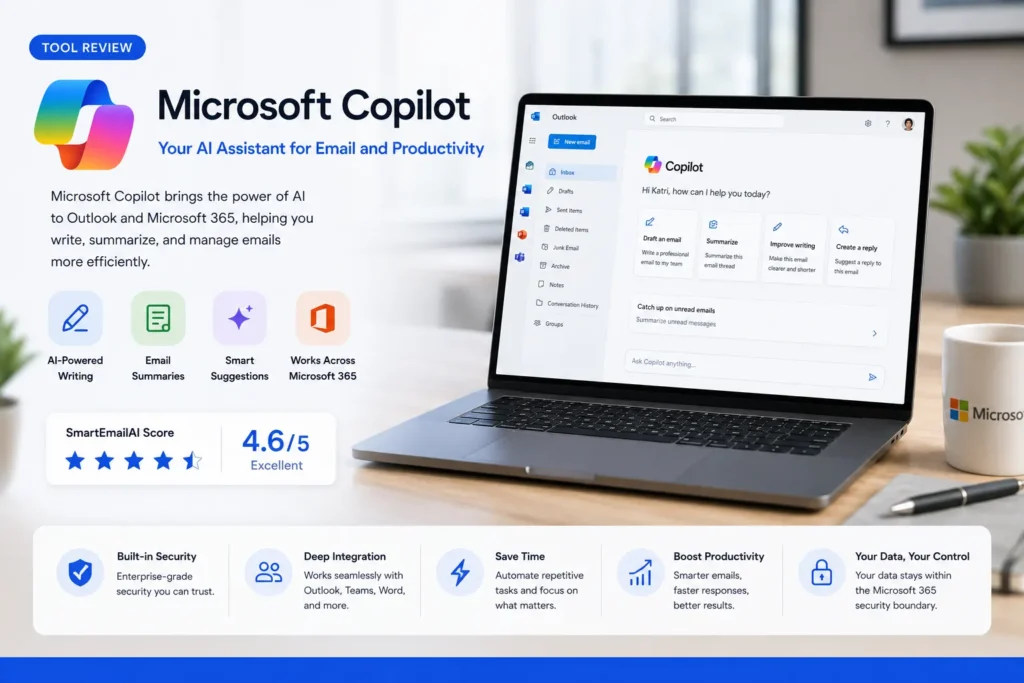
Best AI Email Assistant for Microsoft 365 & Outlook
At a Glance
| Category | Details |
| Best For | Outlook & Microsoft 365 users |
| AI Writing | ★★★★★ |
| Email Summaries | Yes |
| Smart Replies | Yes |
| Microsoft 365 Integration | ★★★★★ |
| Free Plan | Limited (Copilot Chat only) |
| Paid Plan | Copilot add-on, from ~$21/user/month + a qualifying Microsoft 365 license |
| SmartEmailAI Score | 9.5 / 10 |
Why We Picked It
Microsoft Copilot is the clear choice for professionals and organizations that rely on Outlook and Microsoft 365. Its ability to understand emails, calendar, meetings, Word documents, Excel files, and Teams conversations makes it one of the most capable productivity assistants available. Rather than acting as a standalone AI writer, Copilot works across the Microsoft ecosystem to help users communicate faster and make better decisions with the information they already have.
Overview
Microsoft Copilot brings generative AI directly into Outlook and Microsoft 365. It helps users draft professional emails, summarize lengthy conversations, prepare responses, and extract key information without leaving their workflow. Its biggest strength is context: because Copilot works across supported Microsoft 365 apps, it generates more relevant and personalized responses than tools that only see the current email thread. One thing to plan for: Copilot is sold as an add-on, not a standalone product, so the price on the box is only part of the real monthly cost once a qualifying Microsoft 365 base license is factored in.
Key Features
- AI-generated email drafts
- Thread summaries for long conversations
- Context-aware reply suggestions
- Integration with Outlook, Teams, Word, Excel, and PowerPoint
- Meeting summaries and action items
- Natural language search across Microsoft 365
- Enterprise-grade security and compliance
Pros — Microsoft Copilot
- Deep, native integration across the entire Microsoft 365 suite
- Excellent email drafting quality
- Saves time across multiple Microsoft applications at once
- Strong enterprise security and compliance controls
- Particularly valuable for large teams and organizations
Cons — Microsoft Copilot
- Delivers full value only within the Microsoft ecosystem
- Priced as an add-on, so the real monthly cost is higher than the headline number once a qualifying Microsoft 365 license is included
- Less attractive for users who primarily use Gmail
Best For
- Outlook users
- Microsoft 365 organizations
- Corporate teams and enterprise environments
- Project managers
- Sales professionals
- Executives handling high email volumes
SmartEmailAI Score
| Category | Score |
| AI Writing | 9.5 |
| Productivity | 9.7 |
| Ease of Use | 9.3 |
| Integrations | 9.9 |
| Value for Money | 9.0 |
| Overall Score | 9.5 / 10 |
Quick Verdict
For anyone working primarily within Microsoft 365, Microsoft Copilot is one of the smartest productivity investments available. Its seamless integration across Outlook and the broader Microsoft ecosystem makes it much more than an AI email writer – it becomes a central productivity assistant.
Who Should Choose It?
- Use Outlook as your main email platform
- Work in Microsoft 365 every day
- Need AI assistance across email, meetings, documents, and spreadsheets
- Work in a business or enterprise environment
- Value security, compliance, and workflow integration
If your workflow is centered on Gmail and Google Workspace instead, Google Gemini remains the stronger choice.
Final Recommendation
Microsoft Copilot is the best option for professionals who live inside the Microsoft ecosystem and want AI assistance across every part of their workday – not just their inbox. Explore it if your team relies on Outlook and Microsoft 365 for daily communication and collaboration.
3. Grammarly

Best AI Email Writing Assistant
At a Glance
| Category | Details |
| Best For | Professional email writing |
| AI Writing | ★★★★★ |
| Grammar & Tone | ★★★★★ |
| Email Summaries | Limited |
| Platform Support | Web, Windows, macOS, iOS, Android |
| Free Plan | Yes |
| Paid Plan | Grammarly Pro |
| SmartEmailAI Score | 9.2 / 10 |
Why We Picked It
Grammarly is more than a grammar checker. Its AI writing assistant helps users create clear, professional, and persuasive emails in a fraction of the time. While it doesn’t aim to replace Gmail or Outlook, it significantly improves the quality of every email sent. For professionals who care about making the right impression, Grammarly remains one of the strongest AI writing tools available.
Overview
Grammarly integrates with most major browsers, desktop applications, and email platforms, making it one of the easiest AI assistants to adopt. Whether writing a sales proposal, responding to a client, or sending an internal update, Grammarly can rewrite, shorten, expand, or adjust the tone of a message in seconds. Unlike productivity-focused assistants, Grammarly specializes in helping users communicate more effectively. Worth knowing: Grammarly acquired Superhuman in 2025, and the two now sit under the same parent company as part of a broader productivity suite, though each still operates as its own product with its own pricing.
Key Features
- AI-powered email drafting and rewriting
- Grammar and spelling correction
- Tone detection and suggestions
- Sentence rewriting for clarity and conciseness
- Style and readability improvements
- Cross-platform support across browsers and applications
- Generative AI assistance for professional communication
Pros — Grammarly
- Consistently polished, natural-sounding writing output
- Reliable grammar and tone suggestions
- Works with nearly any email platform
- Easy to install and use
- Helpful for both native and non-native English speakers
Cons — Grammarly
- Limited inbox management features
- No native email organization tools
- Advanced AI capabilities require a paid subscription
Best For
- Professionals who send client emails
- Sales and marketing teams
- Freelancers and business owners
- Students
- Non-native English speakers
- Anyone who wants polished, professional communication
SmartEmailAI Score
| Category | Score |
| AI Writing | 9.8 |
| Productivity | 8.8 |
| Ease of Use | 9.7 |
| Integrations | 9.3 |
| Value for Money | 8.6 |
| Overall Score | 9.2 / 10 |
Quick Verdict
If the biggest challenge is writing better emails rather than managing an inbox, Grammarly is one of the best AI assistants available. Its writing quality, ease of use, and broad compatibility make it an excellent companion for almost any email workflow.
Who Should Choose It?
- Want to write clearer and more professional emails
- Frequently communicate with clients or colleagues
- Use multiple email platforms
- Need help with grammar, tone, and readability
- Write in English as a second language
If the priority is inbox management or AI-powered email organization, tools like Shortwave or Superhuman may be a better fit.
Final Recommendation
Grammarly is the best choice for users who want every email to be accurate, polished, and professional without spending extra time editing. Explore it to improve the quality of every email while saving time on editing and proofreading.
4. MailMaestro

Best AI Email Assistant for Business Productivity
At a Glance
| Category | Details |
| Best For | Business professionals & Outlook users |
| AI Writing | ★★★★★ |
| Email Summaries | Yes |
| Smart Replies | Yes |
| Outlook Integration | ★★★★★ |
| Free Plan | Trial available |
| Paid Plan | Yes |
| SmartEmailAI Score | 9.1 / 10 |
Why We Picked It
MailMaestro is designed specifically for professionals who spend a significant part of their day in Outlook. Rather than offering generic AI writing, it focuses on helping business users write faster, summarize conversations, and respond professionally without interrupting their workflow. For teams handling large volumes of customer communication, it offers a practical balance between speed and quality.
Overview
MailMaestro is an AI-powered email assistant built with business productivity in mind. It integrates with Outlook to help users draft emails, summarize long threads, generate context-aware replies, and improve communication efficiency. Its interface is intentionally simple, letting professionals reduce time spent on repetitive email tasks while maintaining a professional tone in every message.
Key Features
- AI-generated professional email drafts
- One-click email thread summaries
- Context-aware reply suggestions
- Tone adjustment for different business situations
- Outlook integration
- Multi-language writing assistance
- Productivity-focused workflow
Pros — MailMaestro
- Purpose-built for business communication rather than general writing
- Tightly integrated with Outlook specifically
- Produces professional-sounding emails
- Easy to learn and use
- Helps reduce repetitive writing tasks
Cons — MailMaestro
- Best experience is tied to Outlook
- Smaller ecosystem compared to Gemini or Copilot
- Some advanced capabilities require a paid subscription
Best For
- Sales professionals
- Customer support teams
- Consultants and business managers
- Outlook users
- Small and medium-sized businesses
- Professionals handling high email volumes
SmartEmailAI Score
| Category | Score |
| AI Writing | 9.3 |
| Productivity | 9.4 |
| Ease of Use | 9.3 |
| Integrations | 8.8 |
| Value for Money | 8.9 |
| Overall Score | 9.1 / 10 |
Quick Verdict
MailMaestro is a focused productivity tool for Outlook users who want to write professional emails faster and spend less time on repetitive communication. While it doesn’t offer the broad ecosystem of Gemini or Copilot, it performs extremely well in its intended business environment.
Who Should Choose It?
- Use Outlook throughout your workday
- Handle frequent customer communication
- Want to draft professional emails quickly
- Prefer a lightweight AI assistant focused on productivity
- Need consistent business communication
If a broader AI assistant that extends beyond email into documents, meetings, and productivity is needed, Microsoft Copilot may be a stronger choice.
Final Recommendation
MailMaestro is an excellent choice for professionals who want to improve email efficiency inside Outlook without adopting a more complex AI productivity platform.
5. Shortwave
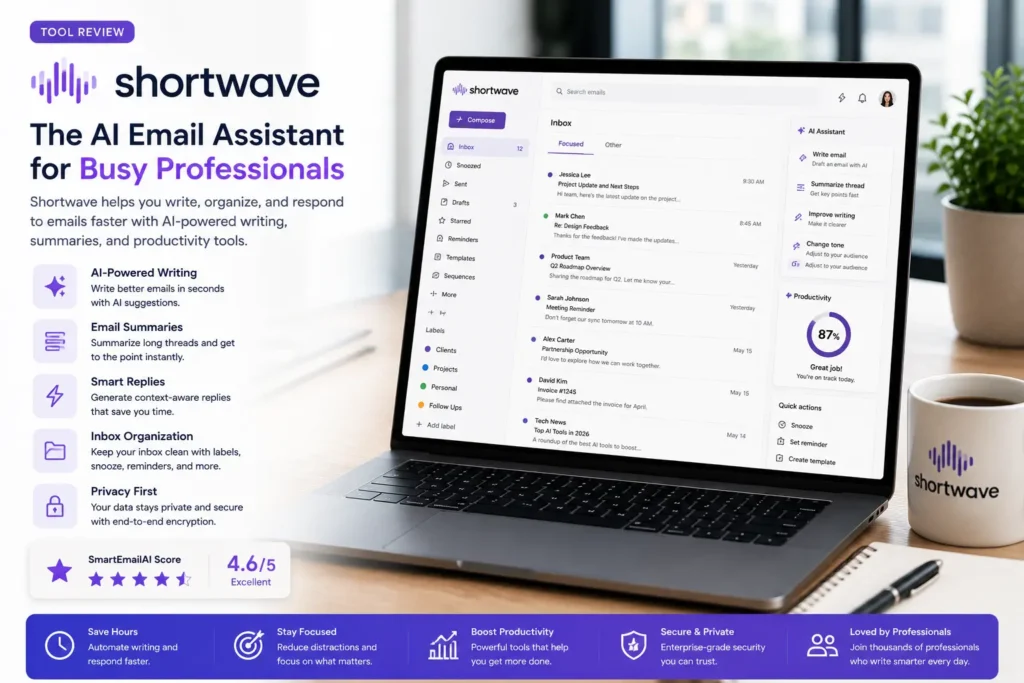
Best AI Email Assistant for Inbox Management
At a Glance
| Category | Details |
| Best For | Inbox organization & email productivity |
| AI Writing | ★★★★☆ |
| Email Summaries | ★★★★★ |
| Inbox Organization | ★★★★★ |
| Platform | Gmail |
| Free Plan | Yes |
| Paid Plan | Yes |
| SmartEmailAI Score | 9.3 / 10 |
Why We Picked It
Most AI email tools focus on helping people write emails. Shortwave focuses on something equally important: helping users manage their inbox more efficiently. Its intelligent organization, conversation summaries, bundling system, and productivity-first design make it one of the best choices for people overwhelmed by hundreds of emails every day.
Overview
Shortwave is a modern email client built primarily for Gmail users who want a faster, more organized inbox. It combines AI-powered summaries, intelligent search, writing assistance, reminders, and workflow automation into a clean interface designed to reduce inbox overload. Instead of simply adding AI features to a traditional email client, Shortwave redesigns how users interact with email.
Key Features
- AI summaries for long email threads
- Intelligent inbox organization
- Bundled conversations
- AI-assisted email drafting
- Smart search across messages
- Snooze and reminder features
- Keyboard shortcuts for faster navigation
- Productivity-focused interface
Pros — Shortwave
- Genuinely reduces inbox clutter instead of just relabeling it
- Some of the sharpest AI conversation summaries in this list
- Clean and modern interface
- Built specifically to help heavy email users get to zero faster
- Free plan available for getting started
Cons — Shortwave
- Designed primarily for Gmail users
- Less suitable for Outlook-based organizations
- Some advanced productivity features require a paid plan
Best For
- Gmail power users
- Founders and entrepreneurs
- Customer support professionals
- Marketing teams
- Busy professionals managing large inboxes
- Anyone looking to reduce email overload
SmartEmailAI Score
| Category | Score |
| AI Writing | 8.9 |
| Productivity | 9.8 |
| Ease of Use | 9.5 |
| Integrations | 9.0 |
| Value for Money | 9.2 |
| Overall Score | 9.3 / 10 |
Quick Verdict
If the biggest challenge is staying on top of an overflowing inbox rather than writing emails, Shortwave is one of the most effective AI-powered email clients available today. Its productivity-focused design helps users process emails faster and spend less time organizing.
Who Should Choose It?
- Use Gmail as your primary email service
- Receive hundreds of emails every week
- Want AI-powered inbox organization
- Prefer a modern email experience
- Value speed and productivity over traditional email layouts
If writing polished emails is the priority, Grammarly is a stronger choice. For a complete Google Workspace assistant, Google Gemini offers broader capabilities.
Final Recommendation
Shortwave stands out by solving one of the biggest email productivity challenges: managing inbox overload. It’s an excellent option for users who want a faster, cleaner, more efficient email workflow.
6. Superhuman
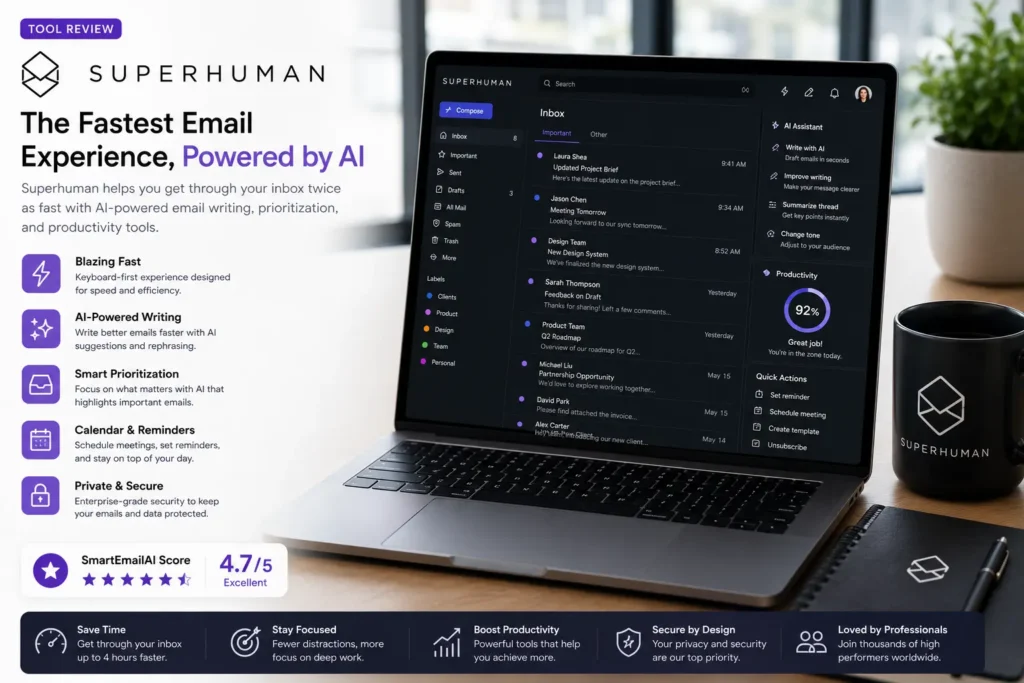
Best AI Email Assistant for Maximum Productivity
At a Glance
| Category | Details |
| Best For | High-volume email users & executives |
| AI Writing | ★★★★☆ |
| Email Summaries | ★★★★☆ |
| Productivity | ★★★★★ |
| Platform | Gmail & Outlook |
| Free Plan | No |
| Paid Plan | Business plan required for email — $33/month (annual) |
| SmartEmailAI Score | 9.4 / 10 |
Why We Picked It
Superhuman isn’t designed for casual email users — it’s built for professionals who spend hours every day managing email and want to process messages as quickly as possible. Its combination of AI assistance, keyboard-first navigation, reminders, split inboxes, and workflow optimization makes it one of the fastest email clients available today.
Overview
Superhuman is a premium AI-powered email client focused on speed, efficiency, and workflow optimization. Rather than replacing a user’s email provider, it enhances Gmail and Outlook with advanced productivity features that help process large volumes of email in significantly less time. Every part of the interface is designed to reduce friction, from instant search and keyboard shortcuts to AI-assisted writing. Note: since Grammarly’s 2025 acquisition of Superhuman, the email client now ships inside the Superhuman Suite alongside Grammarly and Coda; new users reach it through the Business plan rather than a standalone starter tier.
Key Features
- AI-assisted email drafting
- Instant search
- Keyboard-first navigation
- Split inbox organization
- Read status tracking
- Scheduled send
- Follow-up reminders
- AI writing improvements
Pros — Superhuman
- Extremely fast, keyboard-driven workflow
- Beautiful, distraction-free interface
- Excellent productivity features
- Supports Gmail and Outlook
- Business plan bundles Grammarly and Coda alongside the email client
Cons — Superhuman
- Premium pricing, and no lower-cost tier includes the email client
- No permanent free plan
- Advanced features may be unnecessary for casual users
Best For
- Executives and startup founders
- Sales professionals and investors
- Recruiters and entrepreneurs
- Anyone who spends several hours a day in email
SmartEmailAI Score
| Category | Score |
| AI Writing | 9.0 |
| Productivity | 9.9 |
| Ease of Use | 9.4 |
| Integrations | 9.2 |
| Value for Money | 8.9 |
| Overall Score | 9.4 / 10 |
Quick Verdict
Superhuman is not the right tool for everyone — but for professionals who live in their inbox, it’s one of the best productivity investments available. The time saved each day can easily justify its premium price for heavy email users.
Who Should Choose It?
- Spend several hours every day managing email
- Want the fastest possible email workflow
- Prefer keyboard shortcuts over mouse navigation
- Need advanced productivity tools
- Are comfortable paying for premium software that saves time
If a free or budget-friendly AI assistant is the goal, Google Gemini or Grammarly will likely provide better overall value.
Final Recommendation
Superhuman is the best choice for professionals who see email as a core part of their job and want to optimize every minute spent in their inbox.
7. Spark Mail
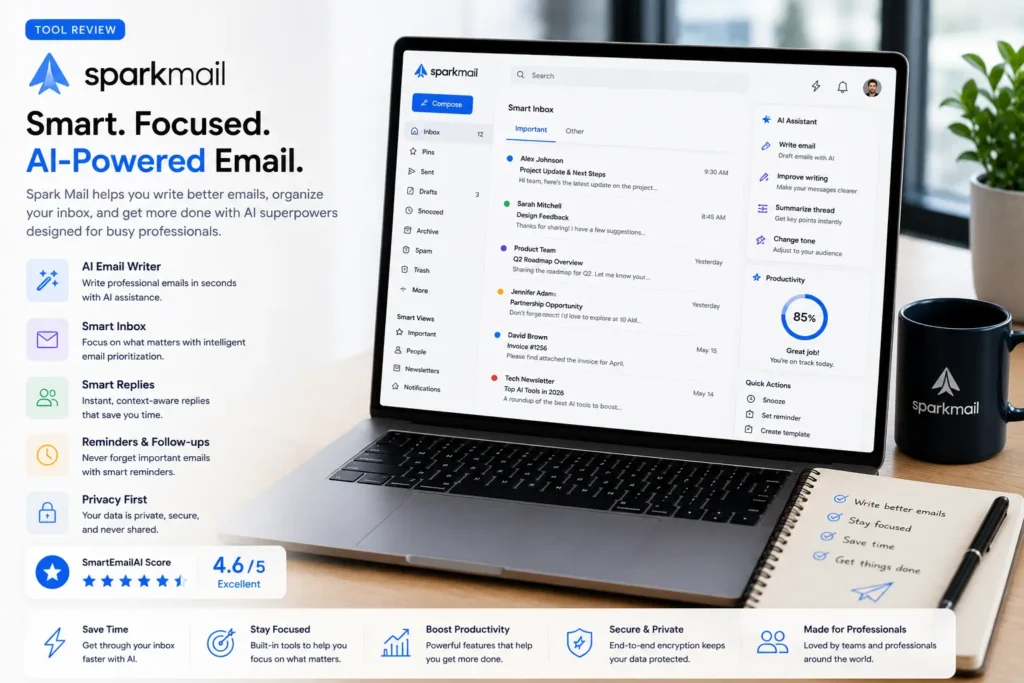
Best AI Email Assistant for Team Collaboration
At a Glance
| Category | Details |
| Best For | Teams & collaborative email workflows |
| AI Writing | ★★★★☆ |
| Email Summaries | ★★★★☆ |
| Team Collaboration | ★★★★★ |
| Platform | Windows, macOS, iOS, Android |
| Free Plan | Yes |
| Paid Plan | Yes |
| SmartEmailAI Score | 9.0 / 10 |
Why We Picked It
Spark Mail stands out because it transforms email from an individual task into a collaborative workflow. Instead of forwarding messages back and forth, teams can discuss emails privately, assign conversations, and work together without leaving their inbox. For businesses where multiple people manage shared communication, Spark offers features traditional email clients simply don’t provide.
Overview
Spark Mail is a modern email client that combines AI writing assistance with collaboration tools. In addition to helping users draft and improve emails, Spark enables teams to comment on conversations privately, assign emails to colleagues, and manage shared inboxes more efficiently. Its cross-platform availability makes it a flexible option for businesses using a mix of desktop and mobile devices.
Key Features
- AI-powered email writing assistance
- Shared drafts for collaborative editing
- Private team comments
- Email assignment
- Smart inbox organization
- Cross-platform synchronization
- Scheduling and follow-up reminders
Pros — Spark Mail
- Built-in team collaboration that most rivals bolt on as an afterthought
- Easy-to-use interface
- Works across Gmail, Outlook, and other providers
- Available on all major platforms
- Helpful AI writing assistance
Cons — Spark Mail
- Individual users may not need the collaboration tools
- Some advanced features require a paid plan
- AI capabilities are less comprehensive than dedicated AI assistants
Best For
- Customer support and sales teams
- Small businesses and marketing agencies
- Remote teams
- Shared inbox management
- Organizations that collaborate on email responses
SmartEmailAI Score
| Category | Score |
| AI Writing | 8.9 |
| Productivity | 9.2 |
| Ease of Use | 9.5 |
| Integrations | 9.1 |
| Value for Money | 9.0 |
| Overall Score | 9.0 / 10 |
Quick Verdict
Spark Mail is one of the best choices for teams that manage email collaboratively. While its AI capabilities are not as extensive as Google Gemini or Microsoft Copilot, its teamwork features make it an excellent productivity platform for shared communication.
Who Should Choose It?
- Work with a team that shares email responsibilities
- Need private discussions around customer emails
- Manage support or sales inboxes
- Want collaboration features built into your email client
- Use multiple devices throughout the day
If advanced AI writing or automation is the priority, Google Gemini or Microsoft Copilot will provide more powerful AI capabilities.
Final Recommendation
Spark Mail is an excellent solution for organizations that value teamwork and want to streamline collaborative email management.
8. Canary Mail
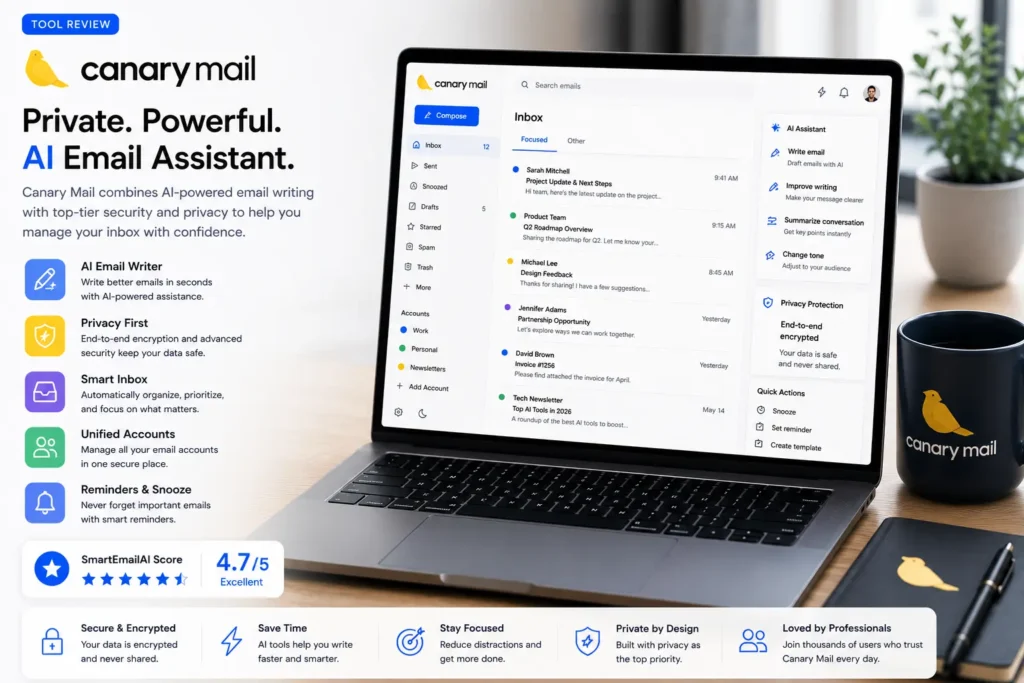
Best AI Email Assistant for Privacy & Security
At a Glance
| Category | Details |
| Best For | Privacy-conscious users & secure email management |
| AI Writing | ★★★★☆ |
| Email Summaries | ★★★★☆ |
| Privacy & Security | ★★★★★ |
| Platform | Windows, macOS, iOS, Android |
| Free Plan | Limited |
| Paid Plan | Yes |
| SmartEmailAI Score | 9.1 / 10 |
Why We Picked It
Most AI email assistants prioritize productivity. Canary Mail goes a step further by combining AI-powered email features with a strong focus on privacy and security. For professionals handling sensitive business communications, or users who simply value data protection, Canary Mail offers one of the best balances between modern AI functionality and secure email management.
Overview
Canary Mail is a cross-platform email client designed for users who want intelligent email assistance without compromising security. Alongside AI-powered writing, summarization, and inbox organization, it includes end-to-end encryption support, phishing detection, and advanced security controls — making it particularly attractive to professionals working with confidential information.
Key Features
- AI-powered email writing
- Smart email summaries
- AI-generated replies
- End-to-end encryption support
- Phishing protection
- Read receipts
- Cross-platform synchronization
- Unified inbox for multiple accounts
Pros — Canary Mail
- Privacy and security are treated as core features, not add-ons
- Clean and intuitive interface
- Works across Gmail, Outlook, and other major providers
- Useful AI writing assistance
- Available across major desktop and mobile platforms
Cons — Canary Mail
- Some premium features require a paid subscription
- AI ecosystem is smaller than Google Gemini or Microsoft Copilot
- Advanced security features may be unnecessary for casual users
Best For
- Privacy-conscious professionals
- Lawyers and legal teams
- Financial professionals and healthcare organizations
- Executives
- Freelancers handling confidential client information
- Anyone who values secure communication
SmartEmailAI Score
| Category | Score |
| AI Writing | 8.9 |
| Productivity | 9.0 |
| Ease of Use | 9.2 |
| Privacy & Security | 9.8 |
| Value for Money | 8.8 |
| Overall Score | 9.1 / 10 |
Quick Verdict
Canary Mail is one of the strongest options for users who refuse to compromise between productivity and privacy. While it doesn’t offer the broad AI ecosystem of Google or Microsoft, its security-first approach makes it an excellent choice for professionals handling sensitive communications.
Who Should Choose It?
- Handle confidential business information
- Want stronger privacy protections
- Need encrypted email support
- Prefer a secure cross-platform email client
- Value security as much as productivity
If maximizing AI capabilities or ecosystem integration is the main goal, Google Gemini or Microsoft Copilot remain stronger overall choices.
Final Recommendation
Canary Mail is an excellent choice for users who want AI-powered email assistance while placing privacy and data protection at the center of their workflow.
Best AI Email Assistant by Use Case
Not every AI email assistant is built for the same audience. While some tools prioritize writing quality, others focus on productivity, collaboration, or security. To make your decision easier, here is our recommendation based on the most common use cases.
| Use Case | Recommended Tool | Why We Recommend It |
| Best Overall | Google Gemini | Excellent balance of AI writing, productivity, and Google Workspace integration. |
| Best for Microsoft 365 | Microsoft Copilot | Deep integration with Outlook, Teams, Word, and Excel. |
| Best AI Writing | Grammarly | Outstanding grammar, tone improvement, and professional writing assistance. |
| Best Business Productivity | MailMaestro | Built for Outlook users handling large volumes of professional communication. |
| Best Inbox Management | Shortwave | Excellent inbox organization and AI-powered summaries. |
| Best for Power Users | Superhuman | Designed for professionals who spend hours in their inbox every day. |
| Best Team Collaboration | Spark Mail | Shared drafts, private comments, and collaborative email workflows. |
| Best Privacy & Security | Canary Mail | Strong focus on secure communication and privacy features. |
Our Top Three Recommendations
If you simply want the quickest recommendation, these are the tools we suggest for most readers:
1st — Google Gemini – Best Overall.
The best choice for Gmail users looking for an all-in-one AI productivity assistant.
2nd — Microsoft Copilot – Best for Microsoft Users.
Ideal for professionals and organizations already using Microsoft 365.
3rd — Grammarly – Best Writing Assistant.
Perfect for anyone who wants to write more professional and polished emails.
Quick Comparisons
Google Gemini vs Microsoft Copilot
Choose Google Gemini if you primarily use Gmail, Google Workspace, and Google’s ecosystem. Choose Microsoft Copilot if your organization depends on Outlook, Teams, Word, Excel, and Microsoft 365.
Grammarly vs MailMaestro
Choose Grammarly if your priority is writing better emails across multiple platforms. Choose MailMaestro if you primarily work in Outlook and want to improve business email productivity.
Shortwave vs Superhuman
Choose Shortwave if your biggest challenge is organizing and processing a crowded inbox. Choose Superhuman if your goal is maximizing speed and productivity while handling a high volume of email.
Spark Mail vs Canary Mail
Choose Spark Mail if your team collaborates on shared inboxes and customer conversations. Choose Canary Mail if privacy, encryption, and secure communication are your highest priorities.
Buying Guide
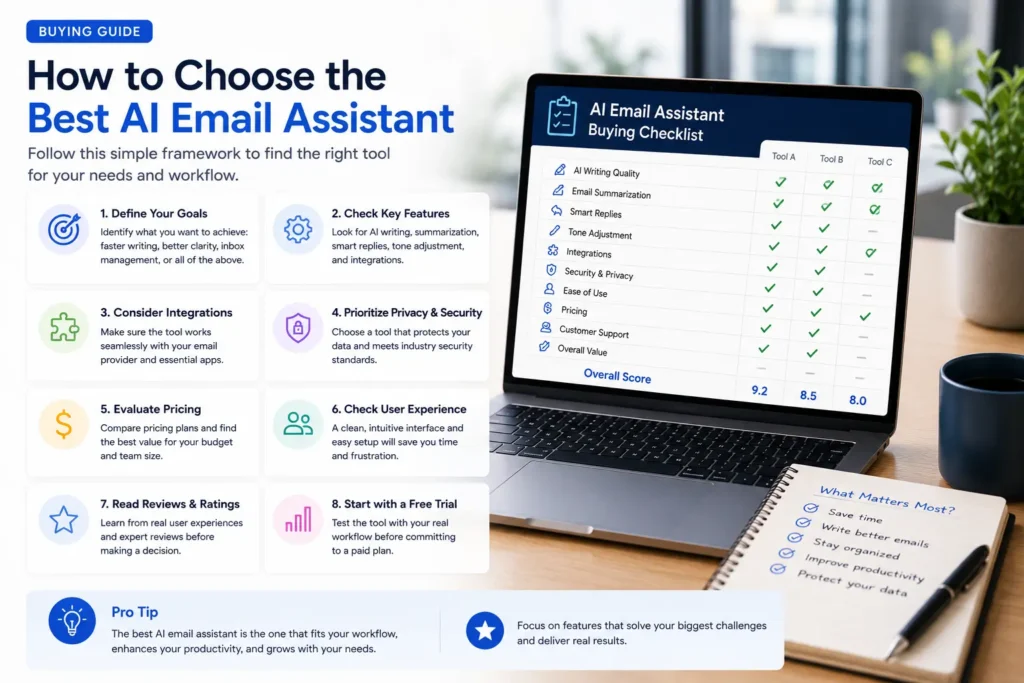
Choosing an AI email assistant becomes much easier when you start by identifying your workflow rather than comparing feature lists. Before making a decision, ask these questions:
Which email platform do you use?
If you work primarily in Gmail, Google Gemini or Shortwave will provide the most seamless experience. If your organization relies on Outlook and Microsoft 365, Microsoft Copilot or MailMaestro are better choices.
What problem are you trying to solve?
If your goal is writing better emails, choose Grammarly. If you’re overwhelmed by your inbox, Shortwave is the stronger option. If collaboration is your priority, Spark Mail offers features designed for teams. If privacy is essential, Canary Mail stands out.
How important is AI integration?
Some tools only assist with writing; others become part of your entire productivity workflow. If you want AI across email, documents, meetings, calendars, and cloud storage, integrated platforms such as Google Gemini and Microsoft Copilot offer significantly broader capabilities.
Is a free plan important?
Several tools let you get started without paying immediately, while others are premium products designed for professionals who value productivity gains over initial cost. If you’re new to AI email assistants, trying a free plan first is often the best way to discover which workflow suits you.
Frequently Asked Questions
What is an AI email assistant?
An AI email assistant is software that uses artificial intelligence to help users write, summarize, organize, and manage emails more efficiently. Depending on the platform, it may also suggest replies, improve grammar, prioritize messages, and automate repetitive email tasks.
Which AI email assistant is the best overall?
For most Gmail and Google Workspace users, Google Gemini is our top recommendation because it combines excellent AI writing, productivity features, and deep integration with Google’s ecosystem. For organizations using Microsoft 365, Microsoft Copilot is the better choice.
Is there a free AI email assistant?
Yes. Several AI email assistants offer free plans or limited free access, including Google Gemini, Grammarly, Shortwave, and Spark Mail. Premium features typically require a paid subscription.
Can AI write professional emails?
Yes. Modern AI email assistants can generate professional emails, improve grammar, adjust tone, summarize conversations, and create replies based on the context of an email thread. It’s still good practice to review important business emails before sending them.
Which AI email assistant is best for Outlook?
Microsoft Copilot is the best choice for Outlook and Microsoft 365 users thanks to its deep integration across Outlook, Teams, Word, Excel, and other Microsoft applications.
Which AI email assistant is best for Gmail?
Google Gemini is our top recommendation for Gmail users because it integrates directly with Gmail and Google Workspace while offering powerful AI writing and productivity features.
Are AI email assistants secure?
Most leading AI email assistants include enterprise-grade security features and follow modern data protection standards. If privacy is the highest priority, Canary Mail offers one of the strongest security-focused experiences among the tools reviewed.
Are AI email assistants worth paying for?
For professionals who spend significant time managing email, a paid AI email assistant can save hours every week through faster writing, better organization, and workflow automation. Whether it’s worth the cost depends on how heavily you rely on email.
Final Recommendations
If you’re still unsure which AI email assistant to choose, here are our final recommendations:
- Choose Google Gemini if you use Gmail or Google Workspace and want the best all-around AI email assistant.
- Choose Microsoft Copilot if your organization relies on Outlook and Microsoft 365.
- Choose Grammarly if your priority is writing clearer, more professional emails.
- Choose Shortwave if your biggest challenge is managing an overloaded inbox.
- Choose Superhuman if speed and productivity are your highest priorities.
- Choose Spark Mail if your team collaborates on shared email conversations.
- Choose Canary Mail if privacy and secure communication are essential.
- Choose MailMaestro if you’re an Outlook user focused on business email productivity.
Conclusion
AI email assistants have evolved far beyond simple writing tools. Today’s solutions can help you draft emails, summarize long conversations, organize your inbox, improve communication, and automate repetitive tasks that once consumed hours every week.
The best choice depends on how you work. If you use Gmail, Google Gemini delivers the most complete AI experience. Microsoft 365 users will benefit most from Microsoft Copilot, while professionals focused on writing, inbox management, collaboration, or privacy have excellent alternatives tailored to their specific needs.
Rather than looking for the tool with the longest feature list, focus on the one that fits your daily workflow. The right AI email assistant should save you time, reduce email stress, and help you communicate more effectively.
Ready to Choose?
The easiest way to find the right AI email assistant is to start with the tool that best matches your email platform and workflow. We’ve compared the leading options, highlighted their strengths and weaknesses, and identified the users each one serves best.
Explore the tools above, try the ones that fit your needs, and discover how AI can transform the way you manage email every day.
Start with Our Top Recommendation
Google Gemini remains our Editor’s Choice for most users thanks to its outstanding balance of AI writing, productivity, and Google Workspace integration. If you’re ready to improve the way you write and manage email, it’s the best place to begin.