
Last Updated: July 2026 | Reviewed by: SmartEmailAI Editorial Team | Reading Time: 12–14 minutes
In This Guide
In this guide, you’ll discover:
- The best AI email managers available in 2026
- Which tool is best for individuals, teams, and businesses
- Key features, pricing, and AI capabilities
- The pros and cons of each platform
- Our Editor’s Choice recommendation
- How to choose the right AI email manager for your workflow
Quick Answer
AI email managers use artificial intelligence to help you organize your inbox, prioritize important messages, summarize long email threads, draft replies, and automate repetitive email tasks. They save time, reduce inbox overload, and improve productivity for individuals and teams.
After testing the leading platforms, HubSpot AI is our top overall recommendation thanks to its powerful AI capabilities, CRM integration, and all-in-one email management features. Other excellent options include Superhuman, Microsoft Copilot for Outlook, and Shortwave, depending on your workflow and budget.
Key Takeaways
- AI email managers help organize, prioritize, and automate email workflows.
- The best tools combine AI assistance with inbox management and productivity features.
- HubSpot AI is our top overall pick for businesses and growing teams.
- Superhuman excels in speed and productivity for busy professionals.
- Microsoft Copilot and Gemini are ideal if you already use Outlook or Gmail.
- Choosing the right tool depends on your email volume, collaboration needs, and budget.
Table of Contents
Introduction
Managing email has become more challenging than ever. Between newsletters, customer inquiries, internal discussions, and sales conversations, it’s easy for important messages to get buried in an overflowing inbox.
Traditional email clients provide folders, labels, and filters, but they still require significant manual effort. Modern AI email managers go much further by automatically prioritizing emails, summarizing conversations, suggesting replies, organizing your inbox, and helping you focus on the messages that matter most.
Whether you’re a business owner, marketer, sales professional, or part of a growing team, the right AI email manager can save hours every week while improving communication and productivity.
To help you find the best solution, we compared the leading AI email managers based on AI capabilities, ease of use, inbox organization, collaboration features, integrations, pricing, and overall value. In this guide, you’ll discover which platform is the best fit for your workflow and budget.
Best AI Email Managers Compared
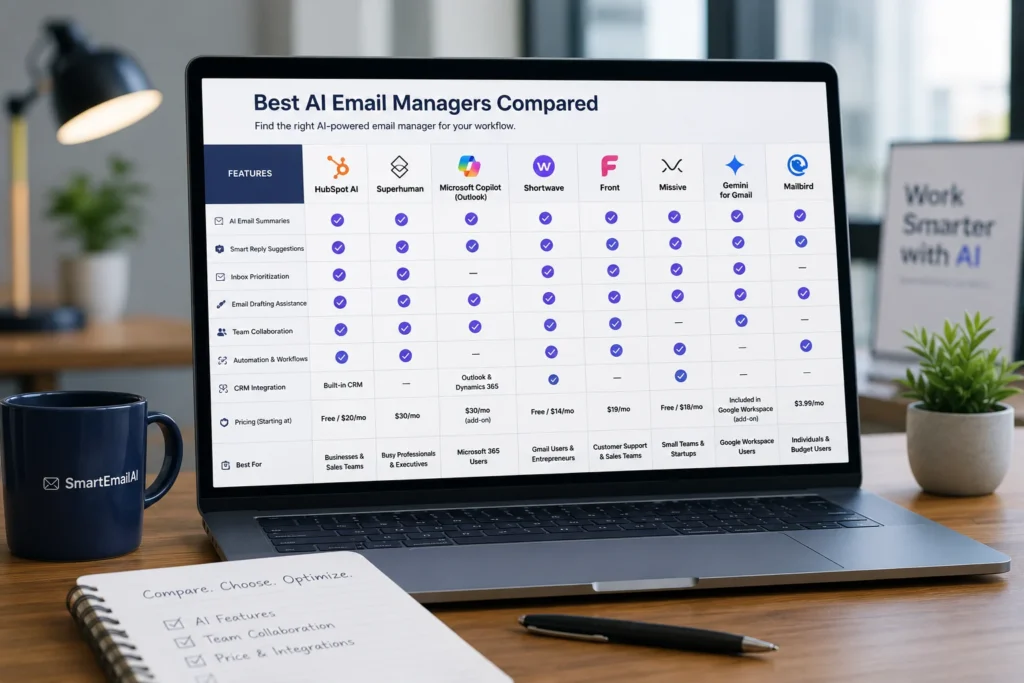
Before diving into the detailed reviews, here’s a quick comparison of the AI email managers featured in this guide. We evaluated each platform based on AI capabilities, inbox management, productivity features, integrations, pricing, and overall value.
Comparison Table
| Tool | Best For | Free Plan | AI Features | Starting Price | Overall Rating |
| HubSpot AI | Businesses & CRM Users | ✅ Yes | ⭐⭐⭐⭐⭐ | Free / Paid Plans | ⭐⭐⭐⭐⭐ 4.9/5 |
| Superhuman | Productivity & Speed | ❌ Trial | ⭐⭐⭐⭐⭐ | From $30/month | ⭐⭐⭐⭐⭐ 4.8/5 |
| Microsoft Copilot for Outlook | Microsoft 365 Users | ❌ No | ⭐⭐⭐⭐⭐ | From $30/month | ⭐⭐⭐⭐☆ 4.7/5 |
| Shortwave | Gmail Productivity | ✅ Yes | ⭐⭐⭐⭐☆ | From $14/month | ⭐⭐⭐⭐☆ 4.7/5 |
| Front | Team Collaboration | ❌ Trial | ⭐⭐⭐⭐☆ | From $19/month | ⭐⭐⭐⭐☆ 4.6/5 |
| Missive | Shared Inbox Teams | ✅ Yes | ⭐⭐⭐⭐☆ | From $18/month | ⭐⭐⭐⭐☆ 4.5/5 |
| Gemini for Gmail | Google Workspace Users | ✅ Limited | ⭐⭐⭐⭐☆ | Included with Google AI Plans | ⭐⭐⭐⭐☆ 4.5/5 |
| Mailbird | Personal Email Management | ❌ Trial | ⭐⭐⭐⭐☆ | From $3.99/month | ⭐⭐⭐⭐☆ 4.4/5 |
How We Tested These AI Email Managers
To ensure our recommendations are practical and unbiased, we evaluated every AI email manager using the same criteria:
AI Capabilities
We assessed how effectively each tool summarizes emails, prioritizes messages, suggests replies, and automates everyday inbox tasks.
Inbox Management
We looked at how well each platform organizes emails through smart categorization, search, reminders, labels, and inbox prioritization.
Ease of Use
A good AI email manager should simplify your workflow. We considered setup time, interface design, and the overall user experience.
Productivity Features
We compared features such as keyboard shortcuts, email scheduling, snoozing, follow-up reminders, collaboration tools, and workflow automation.
Integrations
Additional credit was given to tools that integrate with services like Gmail, Outlook, Microsoft 365, Google Workspace, CRM platforms, calendars, and project management software.
Pricing & Overall Value
Finally, we compared pricing against the available features to determine which platforms deliver the best value for individuals, professionals, and businesses.
HubSpot AI After comparing all eight platforms, HubSpot AI earned our Editor’s Choice award. It combines AI-powered email management with CRM integration, contact management, automation, and analytics in one platform. Instead of simply organizing your inbox, HubSpot helps businesses streamline communication, automate repetitive tasks, and manage customer relationships from a single dashboard.
Best AI Email Managers Reviewed
1. HubSpot AI
Best Overall AI Email Manager
Overall Rating: ⭐⭐⭐⭐⭐ 4.9/5
Best For: Businesses, sales teams, marketers, and organizations looking for an all-in-one AI-powered email management platform.
Overview
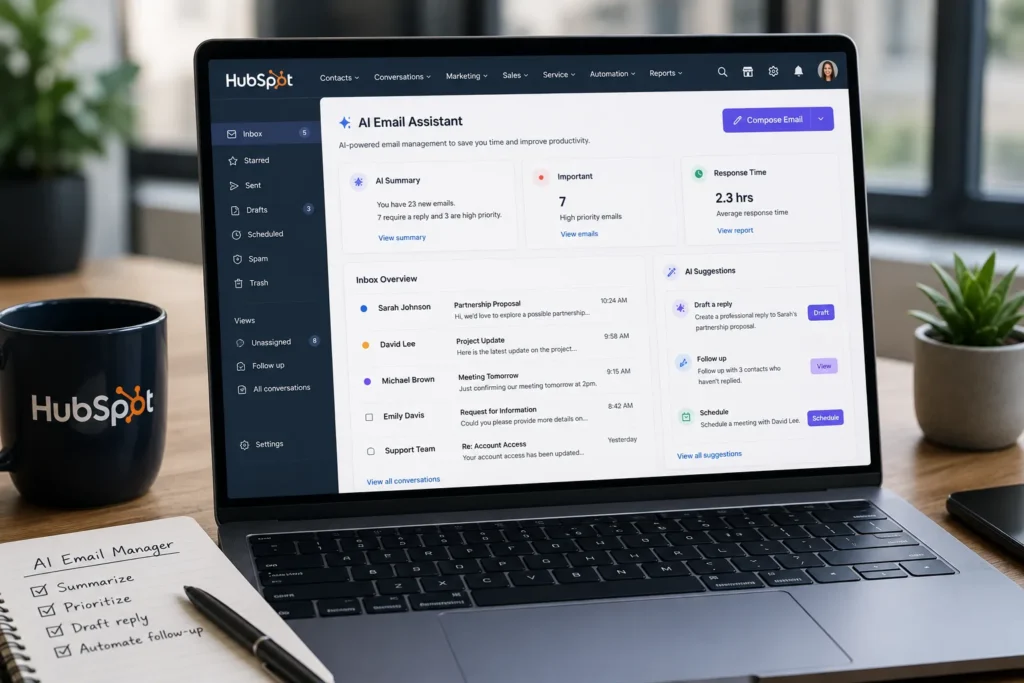
HubSpot AI is more than a traditional email client. It combines AI-powered email management with one of the industry’s most comprehensive CRM platforms, making it an excellent choice for businesses that handle large volumes of customer communication.
Its AI features help users summarize conversations, draft replies, prioritize important emails, and keep inboxes organized without constant manual effort. Because everything is connected to the HubSpot CRM, teams can view contact history, track conversations, and manage customer relationships directly from the same workspace.
For organizations already using email as a core communication channel, HubSpot AI reduces repetitive work while keeping every interaction connected to customer data.
If you’re also interested in creating more relevant campaigns, our AI Email Personalization: Complete Guide explains how AI can tailor email content based on customer behavior and preferences.
Pros — HubSpot AI
- Excellent AI-powered inbox management
- Built-in CRM with complete contact history
- Smart email summaries and reply suggestions
- Powerful workflow automation
- Easy-to-use interface
- Generous free plan for small teams
Cons — HubSpot AI
- Advanced features require paid plans
- Best experience is available within the HubSpot ecosystem
Key Features
- AI-powered email summaries
- Smart reply suggestions
- Contact and CRM integration
- Email tracking and analytics
- Workflow automation
- Shared inbox capabilities
- Meeting scheduling
- Sales pipeline integration
Pricing
Free Plan Available
Paid plans start at approximately $20/month, depending on the products and features you choose.
For the latest pricing, visit the official HubSpot website.
Our Verdict
HubSpot AI offers the best overall balance of AI capabilities, inbox organization, CRM functionality, and business productivity. It’s an excellent choice for companies that want more than an AI assistant—they want a complete communication platform.
If your primary goal is generating professional email content, you may also find our Best AI Email Template Generators in 2026 guide useful. For businesses planning larger automated campaigns, our upcoming Best AI Email Marketing Tools guide will compare the leading email marketing platforms with built-in AI capabilities.
2. Superhuman
Best AI Email Manager for Productivity
Overall Rating: ⭐⭐⭐⭐⭐ 4.8/5
Best For: Busy professionals, executives, founders, and anyone who spends several hours a day managing email.
Overview
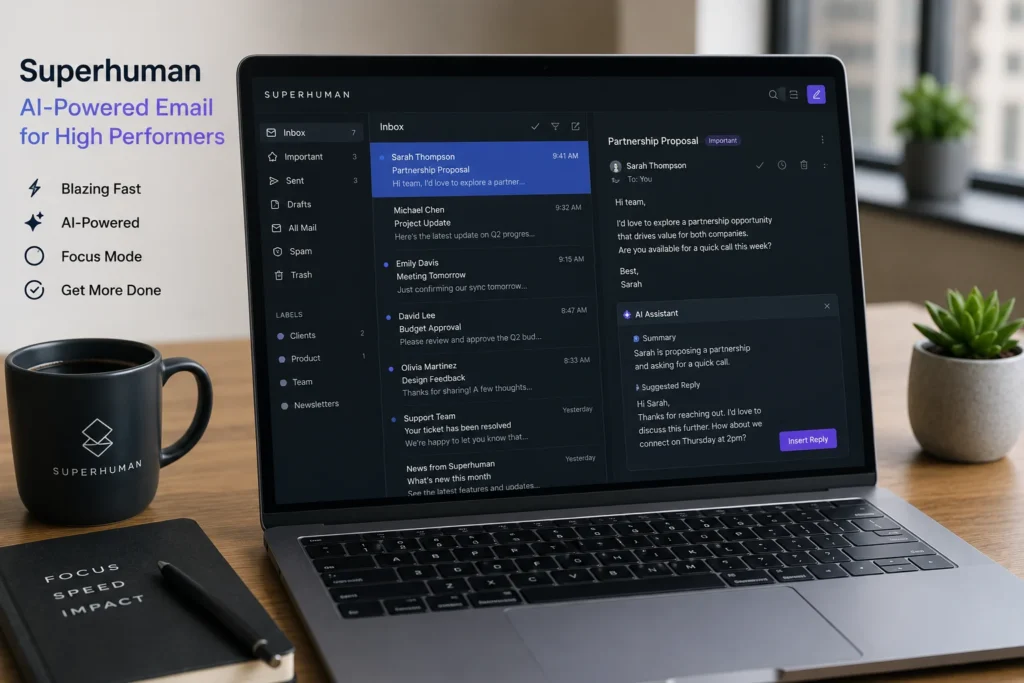
Superhuman is one of the fastest email clients available today, designed to help professionals process their inbox more efficiently. Instead of adding dozens of extra features, it focuses on speed, keyboard shortcuts, and AI-powered productivity tools that reduce the time spent on email.
Its AI capabilities include email summarization, instant reply suggestions, automatic inbox categorization, and writing assistance. Combined with its minimalist interface, Superhuman makes it easier to stay on top of high email volumes without feeling overwhelmed.
Unlike traditional inboxes that simply display messages, Superhuman helps users identify priority emails, respond faster, and clear their inbox with fewer clicks.
If you’re looking for an AI tool that also helps create reusable email content, check out our Best AI Email Template Generators in 2026 guide.
Pros — Superhuman
- Extremely fast and responsive interface
- Excellent AI email summaries
- Smart reply suggestions
- Powerful keyboard shortcuts
- Beautiful, distraction-free design
- Supports Gmail and Outlook
Cons — Superhuman
- Premium pricing
- No permanent free plan
- Limited collaboration features compared to CRM platforms
Key Features
- AI-powered email summaries
- Instant AI reply suggestions
- Smart inbox prioritization
- Split inbox management
- Read status tracking
- Email reminders and snooze
- Keyboard-first navigation
- Gmail and Outlook integration
Pricing
Plans start at approximately $30/month.
Visit the official Superhuman website for the latest pricing.
Our Verdict
Superhuman is one of the best AI email managers for professionals who live in their inbox. Its combination of AI assistance, speed, and productivity features makes email management noticeably faster than traditional clients.
If your goal is managing conversations across your entire business rather than improving personal productivity, HubSpot remains the stronger all-in-one solution.
3. Microsoft Copilot for Outlook
Best AI Email Manager for Microsoft 365 Users
Overall Rating: ⭐⭐⭐⭐☆ 4.7/5
Best For: Businesses and professionals using Microsoft 365 and Outloo
Overview
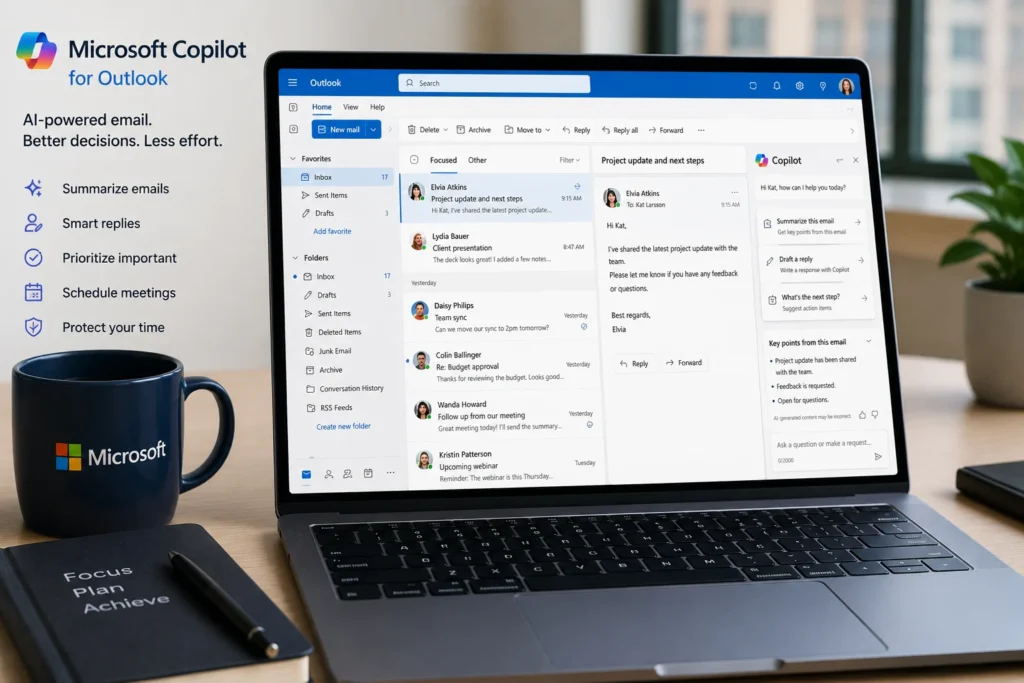
Microsoft Copilot brings generative AI directly into Outlook, helping users summarize long conversations, draft emails, improve writing, and organize inbox activity without leaving the Microsoft ecosystem.
One of its biggest advantages is its deep integration with Microsoft 365. Copilot can use information from Outlook, Teams, Word, Excel, and other Microsoft apps to provide more contextual assistance than standalone AI tools.
For organizations already relying on Outlook, Copilot feels like a natural extension rather than a separate application.
Businesses using Outlook can combine Copilot with the strategies explained in our AI Email Personalization: Complete Guide to create more relevant customer communications.
Pros — Microsoft Copilot
- Deep Microsoft 365 integration
- Excellent email summarization
- High-quality AI writing assistance
- Strong security and enterprise features
- Familiar Outlook interface
Cons — Microsoft Copilot
- Requires Microsoft 365
- Premium AI features increase overall cost
- Less flexible outside the Microsoft ecosystem
Key Features
- AI-generated email drafts
- Conversation summaries
- Smart reply suggestions
- Writing and tone improvements
- Calendar integration
- Microsoft Teams integration
- Enterprise-grade security
Pricing
Available with eligible Microsoft 365 subscriptions and Copilot plans.
Check Microsoft’s official website for current pricing.
Our Verdict
Microsoft Copilot is an excellent AI email manager for businesses already using Microsoft 365. Rather than replacing Outlook, it enhances it with practical AI features that save time and improve productivity.
4. Shortwave
Best AI Email Manager for Gmail Users
Overall Rating: ⭐⭐⭐⭐☆ 4.7/5
Best For: Gmail users, entrepreneurs, freelancers, and professionals looking for a smarter inbox experience.
Overview
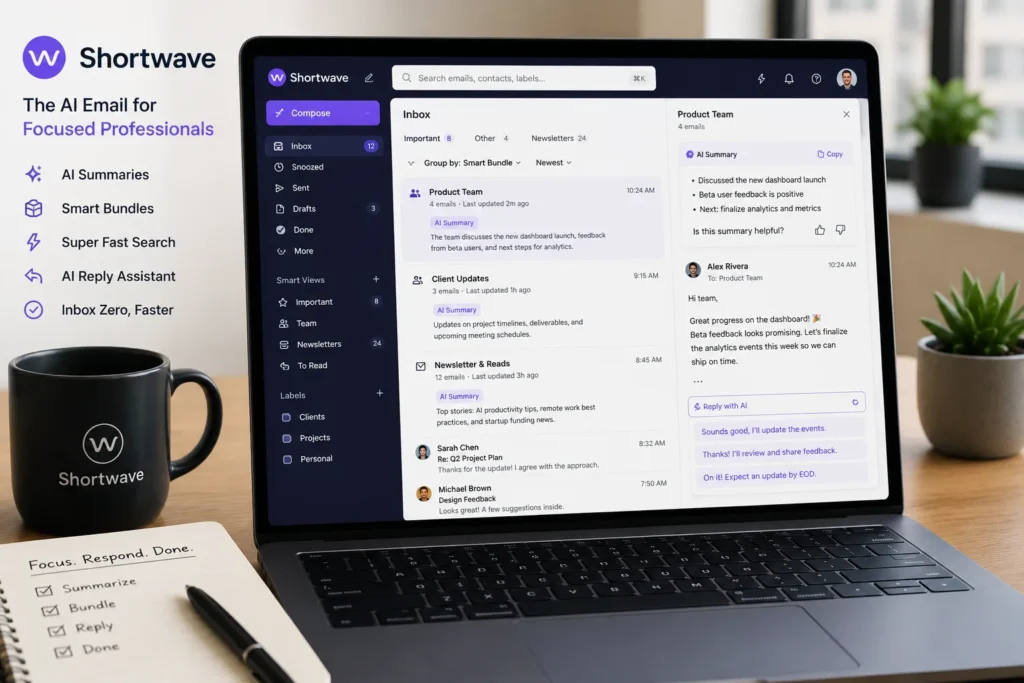
Shortwave transforms Gmail into an AI-powered workspace designed to make inbox management faster and more efficient. Instead of relying on traditional folders and labels, it uses artificial intelligence to summarize conversations, organize emails into smart bundles, and help users find information instantly.
Its AI Assistant can draft replies, summarize lengthy email threads, and answer questions based on your inbox, making it particularly useful for users who process dozens of emails every day.
For Gmail users who want a modern, AI-first experience without leaving the Google ecosystem, Shortwave is one of the strongest options available.
Pros — Shortwave
- Excellent Gmail integration
- AI conversation summaries
- Smart inbox organization
- Fast search capabilities
- Clean, modern interface
- Free plan available
Cons — Shortwave
- Designed primarily for Gmail
- Fewer CRM features than business platforms
Key Features
- AI inbox assistant
- Email thread summaries
- Smart bundling
- AI search
- Reply suggestions
- Inbox collaboration
- Shared conversations
Pricing
Free plan available.
Paid plans start at approximately $14/month.
Visit Shortwave’s official website for current pricing.
Our Verdict
Shortwave is one of the best AI email managers for Gmail users. Its intelligent inbox organization and AI-powered summaries make daily email management significantly more efficient.
If you’re looking for broader AI-powered productivity tools beyond inbox management, our Best AI Email Assistants in 2026 guide compares the leading AI assistants available today.
5. Front
Best AI Email Manager for Team Collaboration
Overall Rating: ⭐⭐⭐⭐☆ 4.6/5
Best For: Customer support teams, sales teams, and businesses managing shared inboxes.
Overview
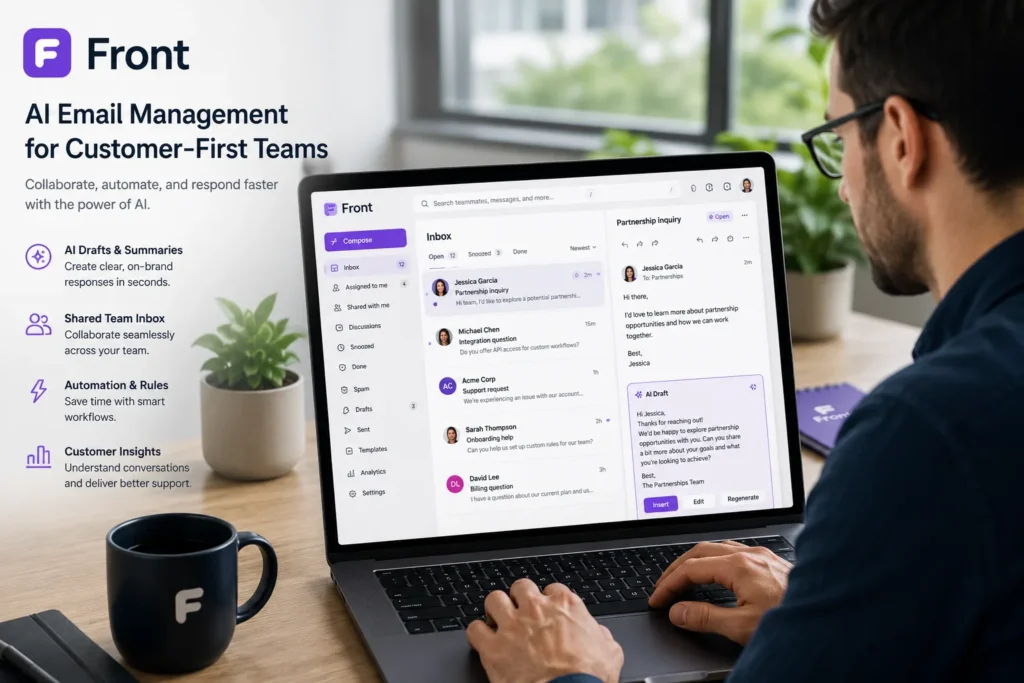
Front combines shared inbox management with AI-powered productivity features, making it an excellent solution for teams that collaborate on customer communication.
Rather than forwarding emails between colleagues, Front allows multiple team members to manage conversations from a shared workspace. AI helps summarize conversations, draft responses, assign emails, and automate repetitive workflows.
Its collaboration features make it particularly valuable for customer service, sales, and operations teams.
Pros — Shortwave
- Excellent shared inbox functionality
- AI-assisted replies
- Internal collaboration tools
- Workflow automation
- CRM integrations
Cons — Front
- Higher pricing for small businesses
- Better suited for teams than individuals
Key Features
- Shared inbox
- AI reply suggestions
- Internal comments
- Workflow automation
- Assignment rules
- CRM integrations
- Analytics dashboard
Pricing
Plans start at approximately $19/month.
Our Verdict
Front is an excellent AI email manager for organizations where multiple people work from the same inbox. Its collaboration tools are among the best available.
6. Missive
Best AI Email Manager for Small Teams
Overall Rating: ⭐⭐⭐⭐☆ 4.5/5
Best For: Startups, agencies, and small businesses.
Overview
Missive combines email management, team chat, and task collaboration into one platform. AI helps users write replies faster, summarize conversations, and organize inbox activity while keeping communication centralized.
Unlike traditional email clients, Missive encourages team collaboration directly inside email threads, reducing the need for separate messaging apps.
Pros — Missive
- Excellent collaboration features
- Shared inbox support
- AI writing assistance
- Internal chat
- Task management
Cons — Missive
- Interface requires some learning
- AI capabilities are less advanced than dedicated AI-first tools
Key Features
- Shared inbox
- AI writing assistance
- Team chat
- Internal notes
- Email assignments
- Calendar integration
Pricing
Free plan available.
Paid plans start at approximately $18/month.
Our Verdict
Missive is a strong choice for small teams that want to combine email management and collaboration in one workspace without investing in a full CRM platform.
7. Gemini for Gmail
Best AI Email Manager for Google Workspace Users
Overall Rating: ⭐⭐⭐⭐☆ 4.5/5
Best For: Professionals and businesses using Gmail and Google Workspace.
Overview
Gemini brings Google’s generative AI directly into Gmail, helping users summarize email threads, draft messages, improve writing, and quickly locate important information across their inbox.
Because Gemini is integrated into Google Workspace, users can move between Gmail, Docs, Sheets, and Calendar while benefiting from AI assistance throughout their workflow.
Businesses already relying on Google Workspace will appreciate the seamless experience and familiar interface.
Pros — Gemini
- Native Gmail integration
- Excellent email drafting
- AI conversation summaries
- Google Workspace integration
- Simple to use
Cons — Gemini
- Best features require Google AI plans
- Limited collaboration features compared to dedicated team platforms
Key Features
- AI-generated drafts
- Inbox summaries
- Smart replies
- Google Workspace integration
- Writing assistance
- Search improvements
Pricing
Included with eligible Google AI and Workspace plans.
Our Verdict
Gemini is one of the easiest ways to bring AI into Gmail. For Google Workspace users, it provides a practical balance of productivity, simplicity, and AI-powered assistance.
8. Mailbird
Best Budget AI Email Manager
Overall Rating: ⭐⭐⭐⭐☆ 4.4/5
Best For: Individuals and professionals looking for an affordable AI-powered desktop email client.
Overview
Mailbird is a lightweight email client that combines multiple email accounts into one interface while adding AI-powered writing and productivity features. It supports Gmail, Outlook, Yahoo Mail, and many other providers, making it a flexible choice for users managing several inboxes.
Although its AI capabilities are not as extensive as enterprise platforms, Mailbird remains an attractive option for users seeking affordability and simplicity.
Pros — Mailbird
- Affordable pricing
- Multiple email account support
- Clean desktop interface
- AI writing assistance
- Easy setup
Cons — Mailbird
- Desktop-focused experience
- Fewer advanced AI features
- Limited business collaboration tools
Key Features
- Unified inbox
- AI writing assistant
- Multiple account management
- Calendar integration
- Productivity apps
- Custom layouts
Pricing
Plans start at approximately $3.99/month.
Our Verdict
Mailbird is a solid budget-friendly AI email manager for individuals who want to organize multiple inboxes without paying for enterprise software. While it lacks advanced automation and collaboration features, it offers excellent value for everyday email management.
How to Choose the Best AI Email Manager
Choosing the right AI email manager depends on how you work, the number of emails you receive, and the tools you already use. While every platform on this list offers AI-powered features, the best choice is the one that fits your workflow.
1. Consider Your Email Platform
Start by choosing a tool that works seamlessly with your existing email service.
- Gmail users: Shortwave or Gemini for Gmail
- Outlook users: Microsoft Copilot
- Businesses using CRM: HubSpot AI
- Teams with shared inboxes: Front or Missive
The closer the integration, the smoother your daily workflow will be.
2. Focus on the AI Features You Need
Not every AI email manager offers the same capabilities.
Consider whether you need:
- AI email summaries
- Smart reply suggestions
- Inbox prioritization
- Email drafting
- Workflow automation
- Team collaboration
Choose a platform that solves your biggest productivity challenges instead of paying for features you’ll rarely use.
3. Think About Team Collaboration
If multiple people manage customer communication, look for features such as:
- Shared inboxes
- Internal comments
- Email assignments
- Workflow automation
Businesses often benefit more from collaboration tools than individual productivity features.
4. Compare Pricing and Scalability
Many AI email managers offer free plans or trials, making it easy to test them before upgrading.
As your business grows, choose a platform that can scale with your needs without requiring you to switch tools later.
Start with the platform you already use every day. AI is most effective when it enhances your existing workflow rather than forcing you to learn an entirely new one.
Frequently Asked Questions
What is an AI email manager?
An AI email manager uses artificial intelligence to organize your inbox, summarize conversations, prioritize important messages, draft replies, and automate repetitive email tasks.
Which AI email manager is best overall?
Based on our testing, HubSpot AI is the best overall choice because it combines powerful AI capabilities with CRM integration, workflow automation, and excellent email management features.
Can AI email managers write emails for me?
Yes. Most modern AI email managers can generate drafts, improve writing, summarize conversations, and suggest replies. Some platforms also personalize emails based on customer data and previous interactions.
If you’re specifically looking for reusable email content, our Best AI Email Template Generators in 2026 guide compares the top AI tools for creating professional email templates.
Are AI email managers secure?
Leading platforms use enterprise-grade security and encryption to protect user data. However, businesses should always review each provider’s privacy policy and security practices before handling sensitive information.
Do AI email managers work with Gmail and Outlook?
Yes. Many platforms integrate directly with Gmail, Outlook, Google Workspace, and Microsoft 365, allowing users to add AI features without changing their existing email provider.
Conclusion
Managing email no longer has to mean spending hours sorting messages, searching for important conversations, or writing the same replies repeatedly. Today’s AI email managers help organize your inbox, automate repetitive tasks, and improve productivity with intelligent features that save valuable time.
After comparing the leading platforms, HubSpot AI stands out as the best overall AI email manager thanks to its combination of AI-powered inbox management, CRM integration, automation, and business-focused features. Professionals looking for speed may prefer Superhuman, while Microsoft Copilot and Gemini for Gmail are excellent choices for users already invested in the Microsoft or Google ecosystems.
The right tool ultimately depends on your workflow, team size, and preferred email platform. Most providers offer free plans or trials, making it easy to test different options before committing to a subscription.
If you’re also looking to improve the quality of your email campaigns, don’t miss our AI Email Personalization: Complete Guide to learn how artificial intelligence can deliver more relevant and engaging emails. You can also explore our Best AI Email Template Generators in 2026 for tools that create professional email templates in seconds.